
Municipal Court Warrants in Uvalde County
Uvalde and Sabinal municipal courts handle city ordinance and traffic matters, including Class C cases and failure-to-appear issues described in their official materials. They keep their own records. A sheriff contact call or county JP payment page does not search every city docket.
A city warrant should be checked with the city clerk that has the citation. The sheriff or city police may serve process, but the court controls the record and any recall. County citations instead go to the JP precinct named on the ticket.
Uvalde County Municipal Warrants Differ by City
Uvalde's official court description says the department handles traffic citations, truancies, and civil cases, and can issue warrants for unpaid violations or failure to appear. Sabinal's court gives its own FTA and nonpayment instructions. The two courts are separate, and only two incorporated cities were documented in the county's Census research.
For Uvalde, use the municipal court's citation search and clerk contact. For Sabinal, call the clerk because no public warrant search was located. Neither route covers the JP precincts or the district court.
For county matters, consult the JP precinct directory; the 38th District Clerk and County Clerk maintain separate court-record routes.
Uvalde's official court description states its local case scope.
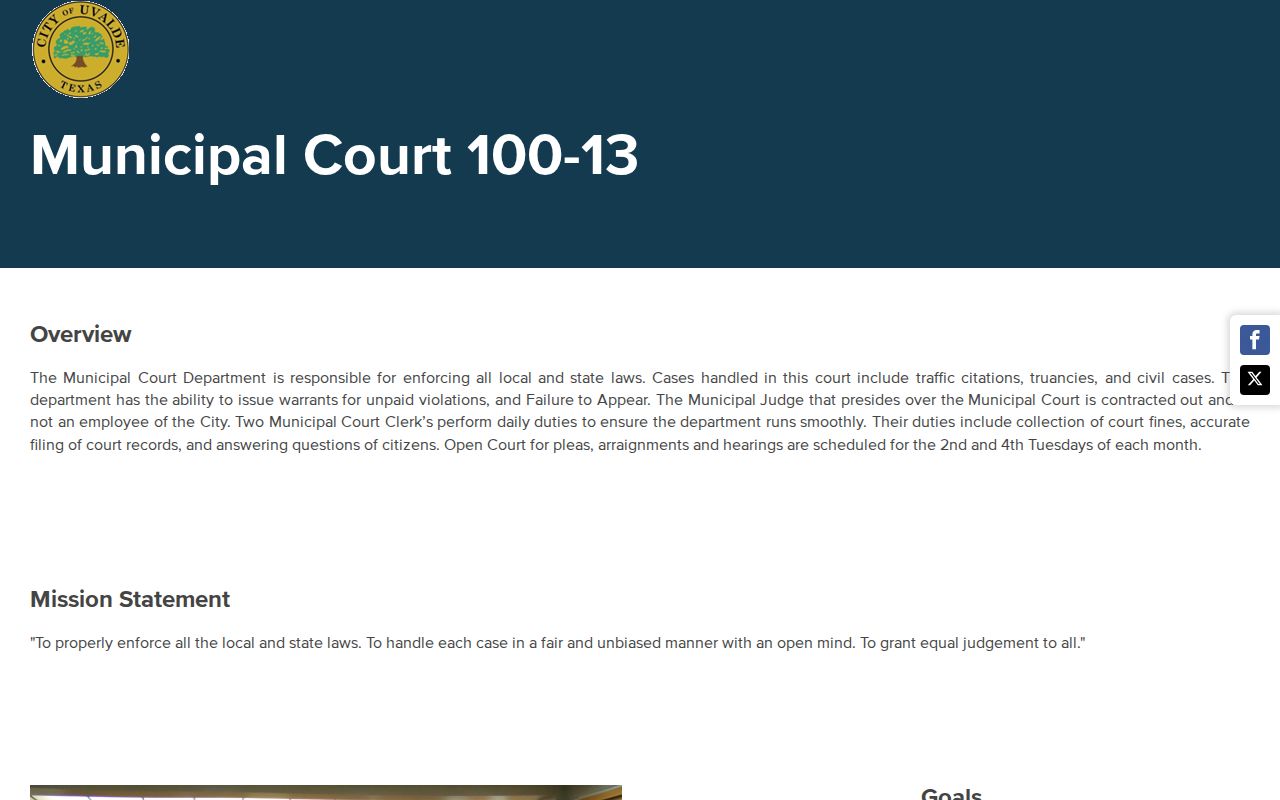
The city court description confirms the unpaid-violation and FTA authority without publishing a warrant roster.
Uvalde County Cities and Municipal Warrants
Uvalde County's research verified municipal courts in Uvalde and Sabinal. Unincorporated areas and county tickets are routed through the JP precinct system, not through a city court. The state's judicial directory can confirm court listings, while each clerk answers for the case itself.
| City | Court | What It Handles |
|---|---|---|
| Uvalde | Uvalde Municipal Court | Traffic, truancy, civil matters, unpaid-violation and FTA warrants |
| Sabinal | Sabinal Municipal Court | City ordinance, traffic, nonpayment, FTA and arrest-warrant instructions |
Uvalde County Municipal Warrant Lookup Routes
Uvalde's Tyler page is a citation search, not a warrant-only tool. It offers citation, license, name, vehicle, business-name, and SSN search modes, with some modes asking for date of birth. The interface does not publish which fields are required in every case or an update schedule.
Sabinal has no public name search or warrant list in the sources reviewed. Its court page directly tells a person unsure whether a warrant issued to call the court. Use the office's verified link, not an unofficial countywide search page.
The Uvalde contact page gives the court route for citation and warrant questions.
Check a Uvalde County Municipal Warrant
Start with the city court printed on the citation. Uvalde's portal accepts several citation and identity modes, while Sabinal relies on a clerk call. If the matter is not a city case, use the county JP directory or the District Clerk for the court named on the paper.
- For Uvalde, search the official Tyler portal by citation and date of birth, name and date of birth, license, vehicle, or business name.
- For Sabinal, call Municipal Court at (830) 988-2630. Its court page says to contact the clerk if you are unsure whether a warrant issued.
- Ask whether the record shows a citation, FTA, warrant, capias, balance, bond, required appearance, or recall. Contact city police only for a service question.
- Call before visiting. Sabinal's page gives weekday counter hours and a noon-to-one closure; Uvalde's court page gives its own contact details. Ask what the court needs.
Uvalde County City Warrants Stay Local
A county sheriff list cannot be used as a complete municipal search because no official county list was found and city cases remain with their issuing courts. Sabinal's code says its police chief attends municipal court and executes writs and process issued by that court. That is a local service role, not a public warrant database.
Uvalde police and county sheriff responsibilities are also distinct. If the clerk says a city process was transferred or served by another agency, ask which office has the return. Do not infer service status from a payment screen.
Sabinal's ordinance code describes the police process role.
Uvalde County Municipal Warrant Records
No municipal warrant sample or local warrant-number pattern was published for either city. Use the citation or case number from the notice when calling; then ask the clerk to confirm the listed fields and any current court date.
| Case reference | Use the citation number on the notice; no public warrant sample format was found. |
|---|---|
| Charge or offense | Confirm whether the case is a city ordinance, traffic, or other Class C matter. |
| Issuing court | Ask whether Uvalde or Sabinal Municipal Court opened the file. |
| Fine, fee, or bond | Request the current amount and payment or appearance conditions from the clerk. |
| Status | Ask if the citation is open, an FTA is reported, a warrant issued, or a recall was entered. |
Uvalde County Municipal Warrant Payment Rules
Payment routes differ by city. Uvalde links its Tyler court portal. Sabinal allows cash or money order by mail or at the counter, does not accept personal checks, and offers card payment online or in person. Its vendor adds a card convenience charge and says payment display can take up to 48 hours.
Sabinal says to ask the clerk for the accurate amount and have the ticket and license number available. Call before paying if a warrant may exist. Confirm whether payment lifts a hold, recalls a warrant, or still requires an appearance.
Sabinal's official payment vendor lists its transaction notice.
Resolve a Uvalde County Municipal Warrant
Call the issuing city court and ask whether the warrant remains active, whether an appearance is required, and whether payment, reset, bond, or a good-faith appearance can resolve it. A clerk can explain the local steps; an attorney can advise on the underlying matter.
- Confirm which city court issued the process, the current amount, and any appearance requirement.
- Ask whether online payment is allowed or whether the judge requires a reset, hearing, or voluntary appearance.
- Keep the receipt or signed order and ask whether the clerk has recalled the warrant and released any hold.
- Confirm the next date for the underlying citation. Clearing a warrant does not decide the charge.
Warning: A payment receipt may not show that the warrant was recalled; ask the city clerk to confirm the order and any separate hold release.
Uvalde County Municipal Warrant Recall Steps
Chapter 45A requires recall of a qualifying initial-setting FTA arrest warrant when a person voluntarily appears and makes a good-faith effort to resolve the case before execution. The rule does not erase the citation or promise a particular payment option. Ask the city clerk how to present the matter to the judge.
Sabinal's posted operating plan says appearances must be scheduled remotely; Uvalde's materials do not establish the same procedure. Confirm with the correct court and request written proof of recall, any OmniBase release, and the next setting.
Read current Chapter 45A for the statewide lower-court rules.